Add Next button to company card assignee step instead of tap-to-advance (redo with regression fixes) - #98220
Add Next button to company card assignee step instead of tap-to-advance (redo with regression fixes)#98220MelvinBot wants to merge 1 commit into
Conversation


Re-applies #97259 (reverted by #97501) and fixes the two regressions that
caused the revert:
- #97426: add enabledWhenOffline so the Next button is usable offline
- #97410: stop InviteNewMemberStep's back handler from clobbering isEditing,
  which broke back navigation to Confirmation after the invite sub-flow

Co-authored-by: Abdelrahman Khattab <abzokhattab@users.noreply.github.com>


🦜 Polyglot Parrot! 🦜Squawk! Looks like you added some shiny new English strings. Allow me to parrot them back to you in other tongues: View the translation diffdiff --git a/src/languages/de.ts b/src/languages/de.ts
index 546fed3eebd..85a70289cce 100644
--- a/src/languages/de.ts
+++ b/src/languages/de.ts
@@ -5896,7 +5896,7 @@ _Für ausführlichere Anweisungen [besuchen Sie unsere Hilfeseite](${CONST.NETSU
directFeed: 'Direktfeed',
whoNeedsCardAssigned: 'Wer braucht eine zugewiesene Karte?',
chooseTheCardholder: 'Wähle den Karteninhaber',
- pleaseSelectACardholder: 'Bitte wähle einen Karteninhaber aus, um fortzufahren',
+ pleaseSelectACardholder: 'Bitte wählen Sie eine Karteninhaberin oder einen Karteninhaber aus, um fortzufahren',
chooseCard: 'Wähle eine Karte',
chooseCardFor: (assignee: string) => `Wähle eine Karte für <strong>${assignee}</strong>. Du findest die gesuchte Karte nicht? <concierge-link>Gib uns Bescheid.</concierge-link>`,
noActiveCards: 'Keine aktiven Karten in diesem Feed',
diff --git a/src/languages/el.ts b/src/languages/el.ts
index 3a1372b2b77..e566e43dd95 100644
--- a/src/languages/el.ts
+++ b/src/languages/el.ts
@@ -320,7 +320,6 @@ const translations: TranslationDeepObject<typeof en> = {
automatic: 'Αυτόματο',
showing: 'Εμφανίζονται',
of: 'του',
- // @context Carousel pagination counter showing the current item's position out of the total (e.g. "3 of 50").
currentOfTotal: ({current, total}: {current: number; total: number}) => `${current} από ${total}`,
default: 'Προεπιλογή',
update: 'Ενημέρωση',
@@ -6017,7 +6016,7 @@ _Για πιο αναλυτικές οδηγίες, [επισκεφθείτε τ
directFeed: 'Άμεση ροή',
whoNeedsCardAssigned: 'Ποιος χρειάζεται να του ανατεθεί κάρτα;',
chooseTheCardholder: 'Επιλέξτε τον κατόχο κάρτας',
- pleaseSelectACardholder: 'Παρακαλώ επιλέξτε έναν κάτοχο κάρτας για να συνεχίσετε',
+ pleaseSelectACardholder: 'Παρακαλώ επιλέξτε έναν κατόχο κάρτας για να συνεχίσετε',
chooseCard: 'Επιλέξτε μια κάρτα',
chooseCardFor: (assignee: string) =>
`Επιλέξτε μια κάρτα για τον/την <strong>${assignee}</strong>. Δεν μπορείτε να βρείτε την κάρτα που αναζητάτε; <concierge-link>Ενημερώστε μας.</concierge-link>`,
diff --git a/src/languages/es.ts b/src/languages/es.ts
index 5a6380394bc..704f56cb0f0 100644
--- a/src/languages/es.ts
+++ b/src/languages/es.ts
@@ -5766,7 +5766,7 @@ ${amount} para ${merchant} - ${date}`,
directFeed: 'Fuente directa',
whoNeedsCardAssigned: '¿Quién necesita una tarjeta?',
chooseTheCardholder: 'Elige el titular de la tarjeta',
- pleaseSelectACardholder: 'Selecciona un titular de la tarjeta para continuar',
+ pleaseSelectACardholder: 'Selecciona un titular de tarjeta para continuar',
chooseCard: 'Elige una tarjeta',
chooseCardFor: (assignee) => `Elige una tarjeta para <strong>${assignee}</strong>. ¿No encuentras la tarjeta que buscas? <concierge-link>Avísanos.</concierge-link>`,
noActiveCards: 'No hay tarjetas activas en este feed',
diff --git a/src/languages/ja.ts b/src/languages/ja.ts
index 090e305f0ed..d81e9ee5e9f 100644
--- a/src/languages/ja.ts
+++ b/src/languages/ja.ts
@@ -5801,7 +5801,7 @@ _詳しい手順については、[ヘルプサイトをご覧ください](${CO
directFeed: 'ダイレクトフィード',
whoNeedsCardAssigned: '誰にカードを割り当てる必要がありますか?',
chooseTheCardholder: 'カード名義人を選択',
- pleaseSelectACardholder: '続行するにはカード名義人を選択してください',
+ pleaseSelectACardholder: '続行するカード保有者を選択してください',
chooseCard: 'カードを選択',
chooseCardFor: (assignee: string) =>
`<strong>${assignee}</strong> に割り当てるカードを選択してください。お探しのカードが見つかりませんか?<concierge-link>お知らせください。</concierge-link>`,
Note You can apply these changes to your branch by copying the patch to your clipboard, then running |

Codecov Report✅ Changes either increased or maintained existing code coverage, great job!
|

|
🤖 I looked into the failing checks. None are caused by this PR, so there's nothing to fix in the code. All JS/TS checks pass (typecheck, ESLint, Jest, Storybook, React Compiler, Knip, unused styles, spellcheck, formatting, translations, and Reassure perf tests). This PR only touches The four red checks break down as: Unrelated iOS build failures (infra / dependency, not this PR):
Expected non-blocking checks:
Recommendation: Re-run the two iOS build jobs (the 401 is likely transient). If the |
|
🤖 I tried to record the "Choose the cardholder" flow on web to populate the empty Screenshots/Videos section, but I couldn't reach that step in the automated test environment — so I have no verifying screenshots/videos of the actual fix to add. Why: the throwaway test account has no workspace with a connected company-card feed (and members), which is the precondition for the What I got before the block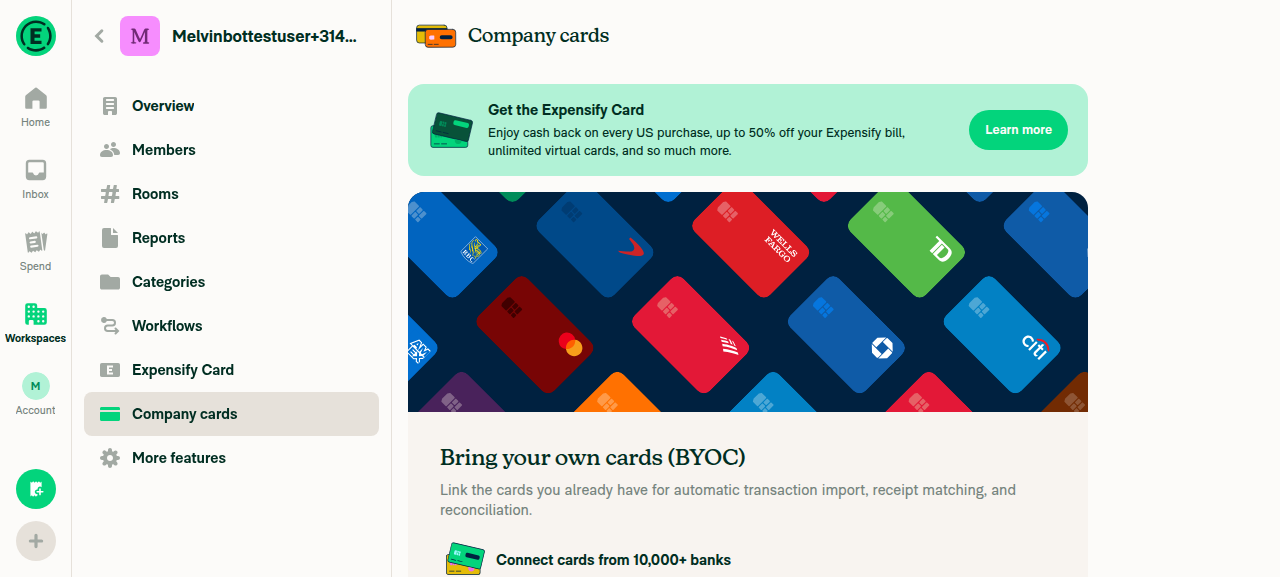
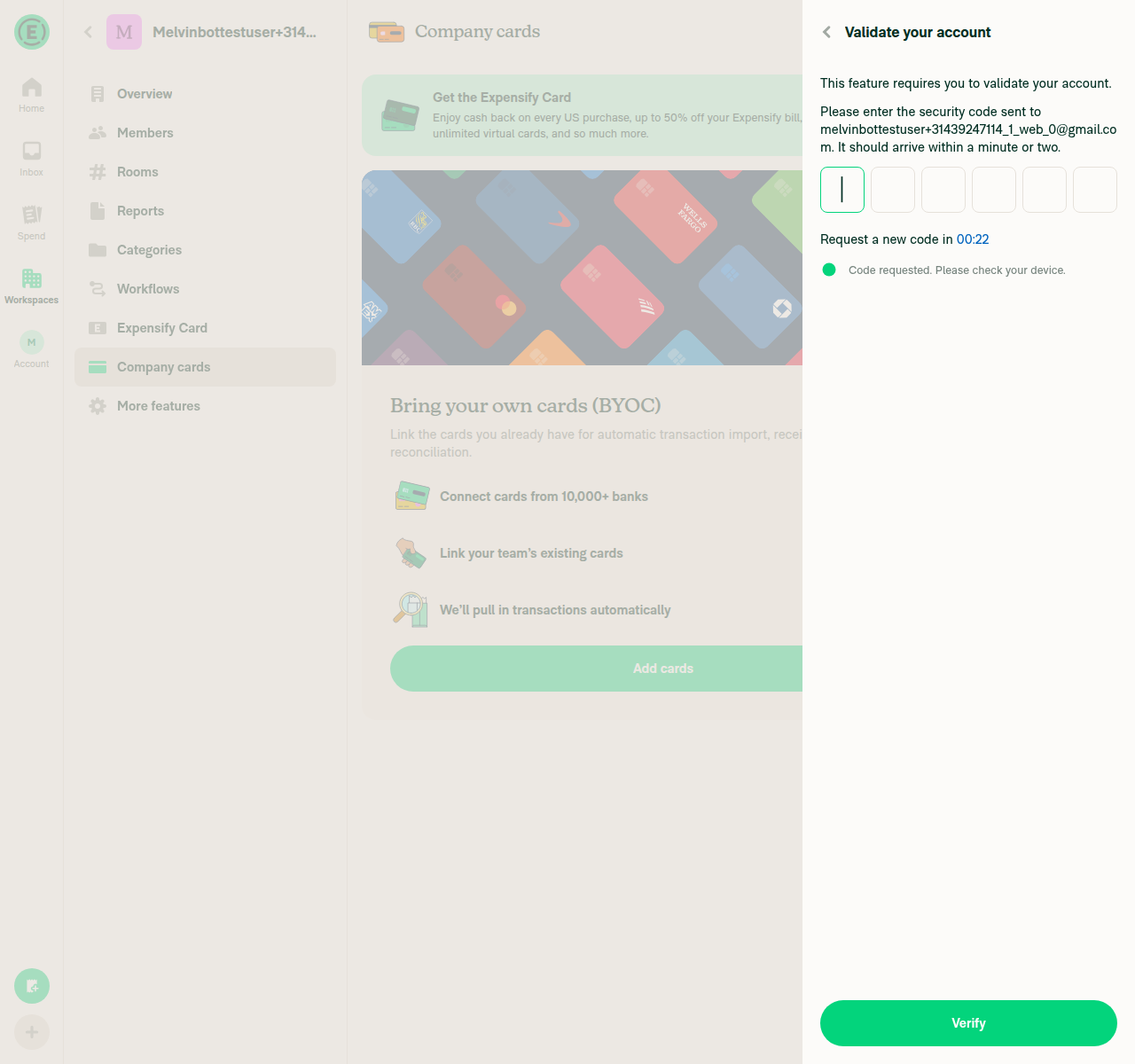
To get real screenshots/videos here, the flow needs a test account with an already-connected company-card feed that has members (or a validated account). If you have such an account, the human co-author can run the steps in the PR's Tests section and drop the captures into the Screenshots/Videos section. Happy to re-run if the environment is seeded — reply |
|
🤖 Nothing has changed since my previous analysis — the same checks are failing on the same CI run (the two iOS build jobs have not re-run, and there's no new commit on the branch). tl;dr — there's still no code fix to make here. All JS/TS checks and Reassure perf tests pass; this PR only touches
To move this forward: re-run the two |
3 participants


Explanation of Change
This re-applies PR #97259 (reverted by #97501) with fixes for the two regressions that caused the revert, so the improvement can safely ship this time.
Original change (re-applied): The "Choose the cardholder" step (
AssigneeStep) submitted and navigated immediately on row tap, with no confirm/Nextbutton, and it auto-focused/highlighted a row so it looked pre-selected (most obvious in a single-member workspace). Users waited for aNextbutton that never appeared and had to re-tap the seemingly-selected row. This makesAssigneeStepmatch the siblingCardSelectionSteppattern and the approved design mocks:CardSelectionStep.Nextbutton confirms the selection and runs the existingsubmitlogic, so routing for an existing member, the invite-new-member flow, and the "assignee unchanged" fast-path is unchanged.Nextwith nothing selected shows a "Please select a cardholder to continue" error instead of navigating.Regression fixes added on top of #97259:
FormAlertWithSubmitButtonwas force-disabled offline (its default), even though selecting a cardholder is a local-state-only step with no network call. AddedenabledWhenOfflinesoNextstays usable offline and the empty-selection error is reachable.InviteNewMemberStep's back handler unconditionally resetisEditingtofalse. When the user reached the invite step while editing the cardholder from Confirmation, backing out then madeAssigneeStep's own back dismiss the whole RHP instead of returning to Confirmation. The handler no longer forcesisEditing: false— omitting the field leaves theOnyx.mergevalue untouched, so an in-progress edit keepsisEditing: true(back returns to Confirmation) while a fresh assign flow is unaffected (alreadyfalsethroughout).Added a cardholder-specific error string across all locales and unit tests covering no-auto-advance, Next-navigates, empty-selection-error, saved-cardholder pre-selection, plain-back vs. edit-back navigation, and a new offline regression test for #97426.
Fixed Issues
$ #97224
PROPOSAL: #97224 (comment)
Tests
// TODO: The human co-author must fill out the tests you ran before marking this PR as "ready for review". Suggested coverage: (1) open Assign card on a multi-member workspace → no cardholder pre-selected,
Nextshown; (2) tap a cardholder → row highlights, no auto-advance; (3)Nextwith no selection → "Please select a cardholder to continue"; (4) regression #97410 → edit the cardholder from Confirmation, type a non-member email, Next into invite, back, back → returns to Confirmation (does not dismiss the RHP); (5) regression #97426 → offline,Nextis enabled.Offline tests
Selection state and the empty-selection error are handled entirely in local state, so the step works offline (regression #97426):
Nextbutton is enabled.Nextwithout a selection and verify the "Please select a cardholder to continue" error appears.Next; verify the flow advances.QA Steps
// TODO: These must be filled out, or the issue title must include "[No QA]."
PR Author Checklist
### Fixed Issuessection aboveTestssectionOffline stepssectionQA stepssectionAvatar, I verified the components usingAvatarare working as expected)StyleUtils.getBackgroundAndBorderStyle(theme.componentBG))npm run compress-svg)Avataris modified, I verified thatAvataris working as expected in all cases)Designlabel and/or tagged@Expensify/designso the design team can review the changes.mainbranch was merged into this PR after a review, I tested again and verified the outcome was still expected according to theTeststeps.Screenshots/Videos
Android: Native
Android: mWeb Chrome
iOS: Native
iOS: mWeb Safari
MacOS: Chrome / Safari